
4
VIEWS
·
2
COPIES
·
0
LIKES
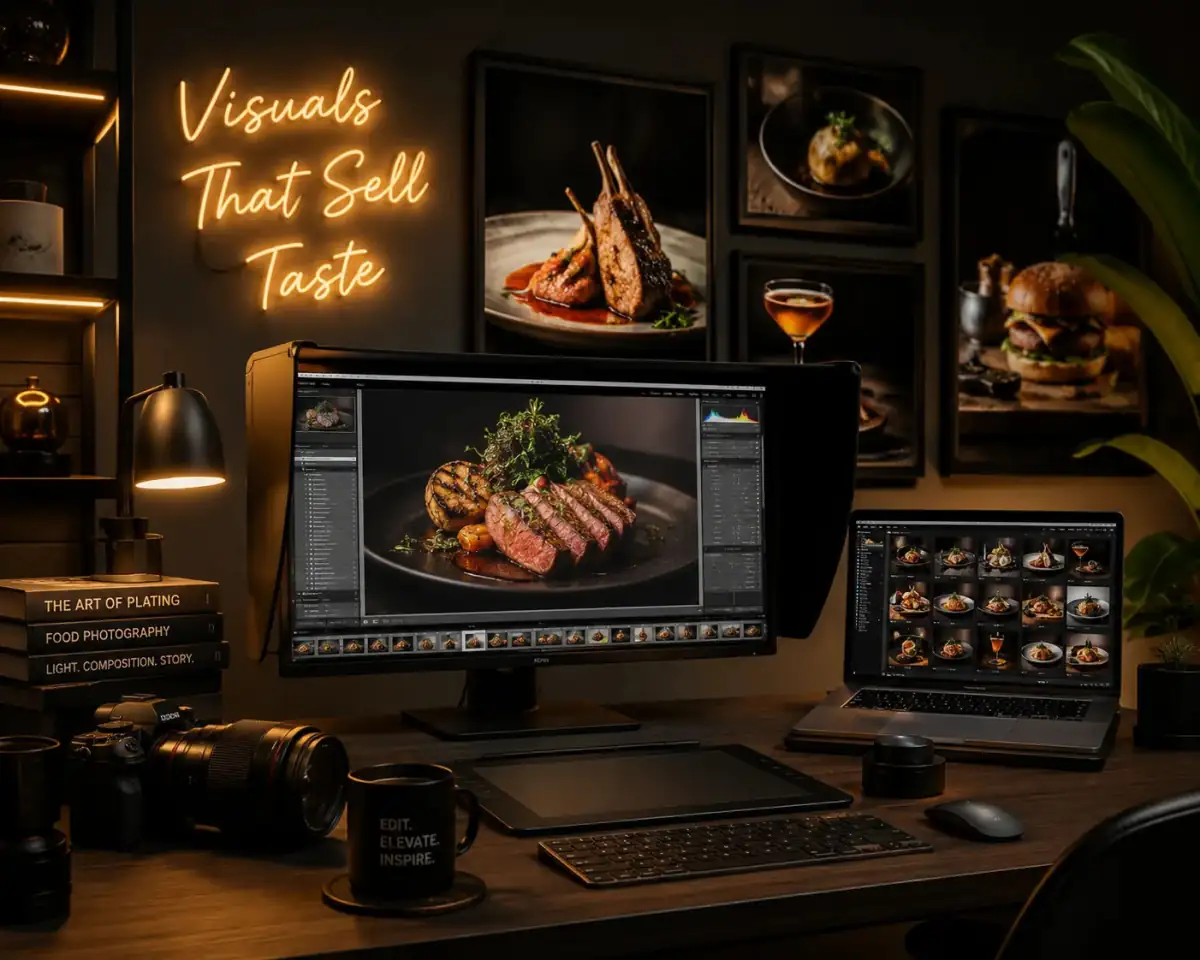
Food Photography Enhancement
Enhance the uploaded food image with vibrant colors, realistic textures, warm restaurant lighting, sharper details, and premium commercial food photography aesthetics.
Also try in:
Did this prompt work for you?
Share this prompt
4
VIEWS
·
2
COPIES
·
0
LIKES

Log in to leave a comment.
More Like This
See all →

How to use this prompt
“Food Photography Enhancement” packages the descriptive detail an image model needs into one prompt. Paste it into Gemini and you’ll get a detailed result in seconds. The specific phrasing around colors realistic is doing most of the work here.
- Grab the prompt with the Copy button at the top.
- Paste it into Gemini.
- Run it, focusing on colors realistic if you want to steer the result.
- Regenerate to explore a few different takes on the same idea.
Tips & variations
- Swap the main subject for your own to completely change the scene while keeping the style.
- Push or pull the colors realistic elements specifically — that’s usually the fastest lever here.
- Replace the setting or background to repurpose the same prompt for a new theme.
Frequently asked questions
It generates a visual built around colors realistic — part of our Gemini Photo Editing Prompts collection. Use it as-is or as a starting point you customise to taste.
AI models are non-deterministic, so results vary each run even with the same prompt. Generate a few times and pick your favourite, or lock a seed if your tool supports it.
Yes — every prompt on the site is free to copy and use. You only need an account with the AI tool you choose to run it.
It’s set up for Gemini, and it also works well in Midjourney, DALL·E 3 or Gemini. Image models vary, so try the same prompt in a couple of tools and keep the result you like best.