
6
VIEWS
·
0
COPIES
·
0
LIKES
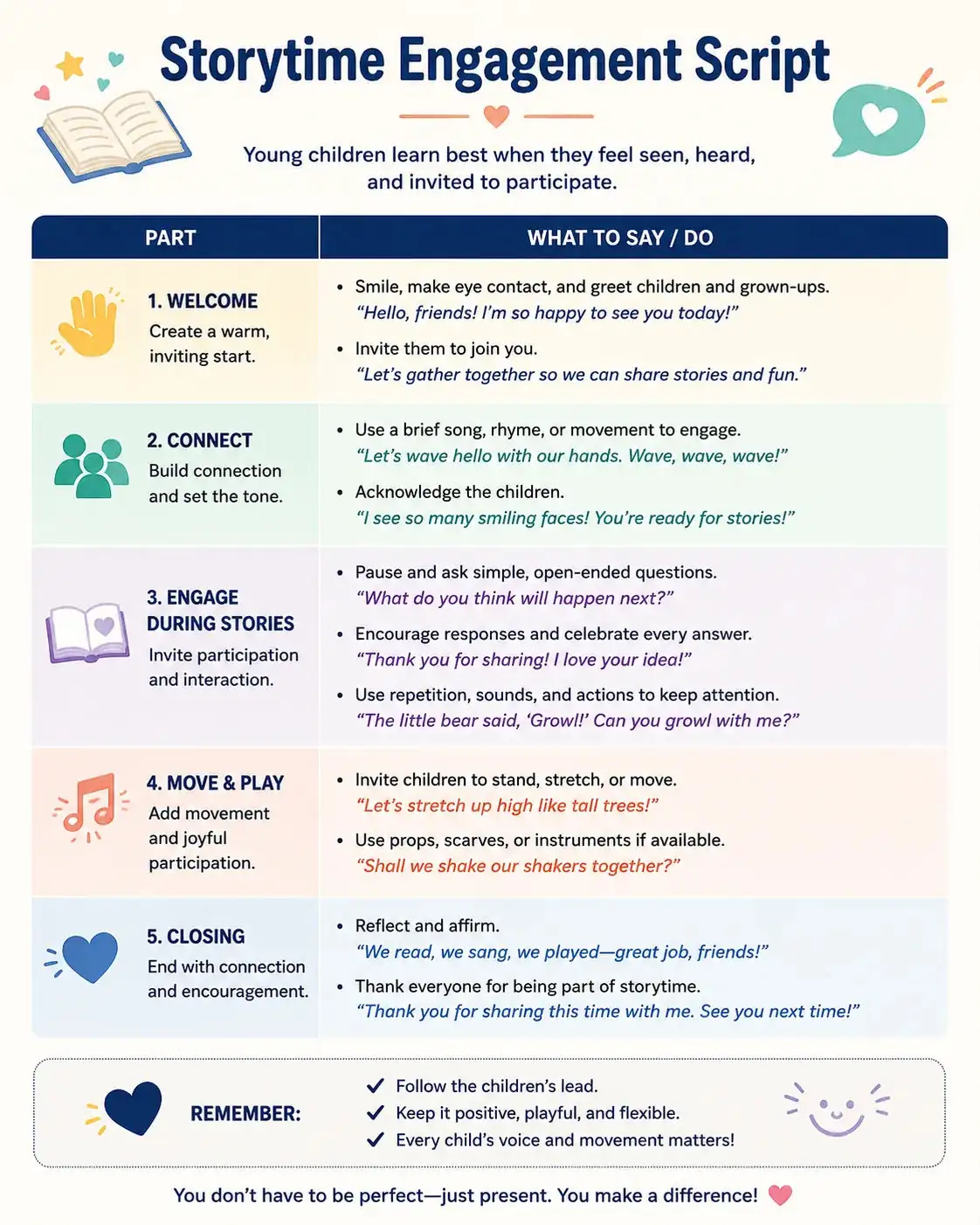
Storytime Engagement Script
You are a professional YouTube documentary writer and retention strategist. Create a premium storytime engagement script and a full documentary-style YouTube script about [TOPIC] for [TARGET AUDIENCE]. Begin with 3 emotionally powerful hooks optimized for curiosity and watch time. Then write a cinematic intro that immediately builds tension and stakes. Structure the script into clear story chapters with transitions, open loops, emotional pacing, and cliffhanger moments. Include narration lines, suggested b-roll scenes, cinematic music cues, and on-screen text ideas. Add pattern interrupts every 30–60 seconds to maintain audience retention. End with a satisfying conclusion and a natural CTA encouraging comments and subscriptions. Format the output using sections for Hook, Intro, Main Story, B-Roll Directions, and CTA.
Also try in:
Did this prompt work for you?
Share this prompt
6
VIEWS
·
0
COPIES
·
0
LIKES

Log in to leave a comment.
More Like This
See all →



How to use this prompt
This prompt turns one click into a finished “Storytime Engagement Script” visual in ChatGPT. It works just as well in Midjourney, DALL·E 3 or Gemini, so you’re not locked into one tool.
- Use the Copy button to copy the prompt text.
- Head to ChatGPT and start a new image.
- Set your preferred aspect ratio, then generate.
- Download the version you like and share it.
Tips & variations
- Replace the setting or background to repurpose the same prompt for a new theme.
- Add an aspect ratio that fits your platform — portrait for Instagram, wide for banners.
- Swap the main subject for your own to completely change the scene while keeping the style.
Frequently asked questions
Yes — every prompt on the site is free to copy and use. You only need an account with the AI tool you choose to run it.
Edit the descriptive words in the prompt — change full documentary-style, the lighting, the colours or the setting. Small wording changes produce big differences in the final image.
No — the prompt itself works on free tiers of ChatGPT. A paid plan may unlock faster generation, higher limits, or commercial licensing, depending on the tool.
Yes — treat it as a starting point. Once you have an output you like, you can feed it back in with a follow-up prompt to refine or extend it further.