
6
VIEWS
·
0
COPIES
·
0
LIKES
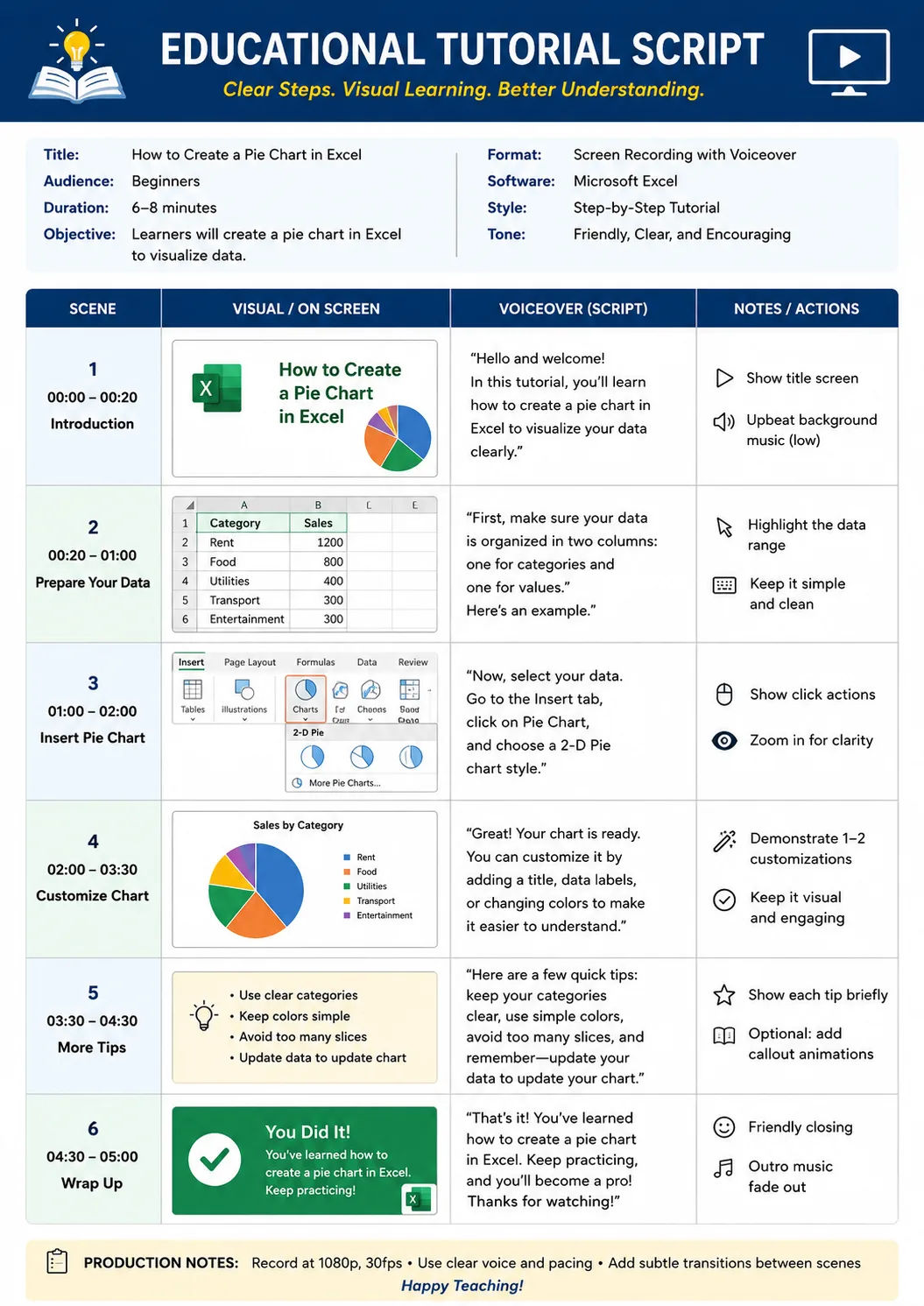
Educational Tutorial Script
You are a podcast repurposing strategist for YouTube creators. Convert [PODCAST TRANSCRIPT] into an engaging YouTube video script optimized for viewer retention. Start by identifying the strongest moments and turn them into compelling hooks. Rewrite the content into conversational spoken language suitable for YouTube audiences. Add section breaks, emotional transitions, and pattern interrupts. Include visual directions for b-roll, captions, camera cuts, and graphics. Suggest thumbnail and title angles that improve click-through rate. The final output should include Hook Ideas, Script Structure, Visual Suggestions, Thumbnail Concepts, and CTA recommendations.
Share this prompt
6
VIEWS
·
0
COPIES
·
0
LIKES

Log in to leave a comment.
More Like This
See all →


How to use this prompt
Copy “Educational Tutorial Script” once and reuse it for endless variations in ChatGPT. It works just as well in Midjourney, DALL·E 3 or Gemini, so you’re not locked into one tool.
- Tap Copy above to grab the full prompt.
- Open ChatGPT (or any image AI like Midjourney, DALL·E 3 or Gemini).
- Paste the prompt into the generate box and run it.
- Like the result? Re-roll once or twice and keep your favourite.
Tips & variations
- Push or pull the strongest moments elements specifically — that’s usually the fastest lever here.
- Name a colour palette to keep a series of images visually consistent.
- Change the lighting words (e.g. “golden hour”, “studio”, “moody”) to shift the whole mood.
Frequently asked questions
Edit the descriptive words in the prompt — change strongest moments, the lighting, the colours or the setting. Small wording changes produce big differences in the final image.
No — the prompt itself works on free tiers of ChatGPT. A paid plan may unlock faster generation, higher limits, or commercial licensing, depending on the tool.
Yes — treat it as a starting point. Once you have an output you like, you can feed it back in with a follow-up prompt to refine or extend it further.
It’s set up for ChatGPT, and it also works well in Midjourney, DALL·E 3 or Gemini. Image models vary, so try the same prompt in a couple of tools and keep the result you like best.