
12
VIEWS
·
2
COPIES
·
0
LIKES
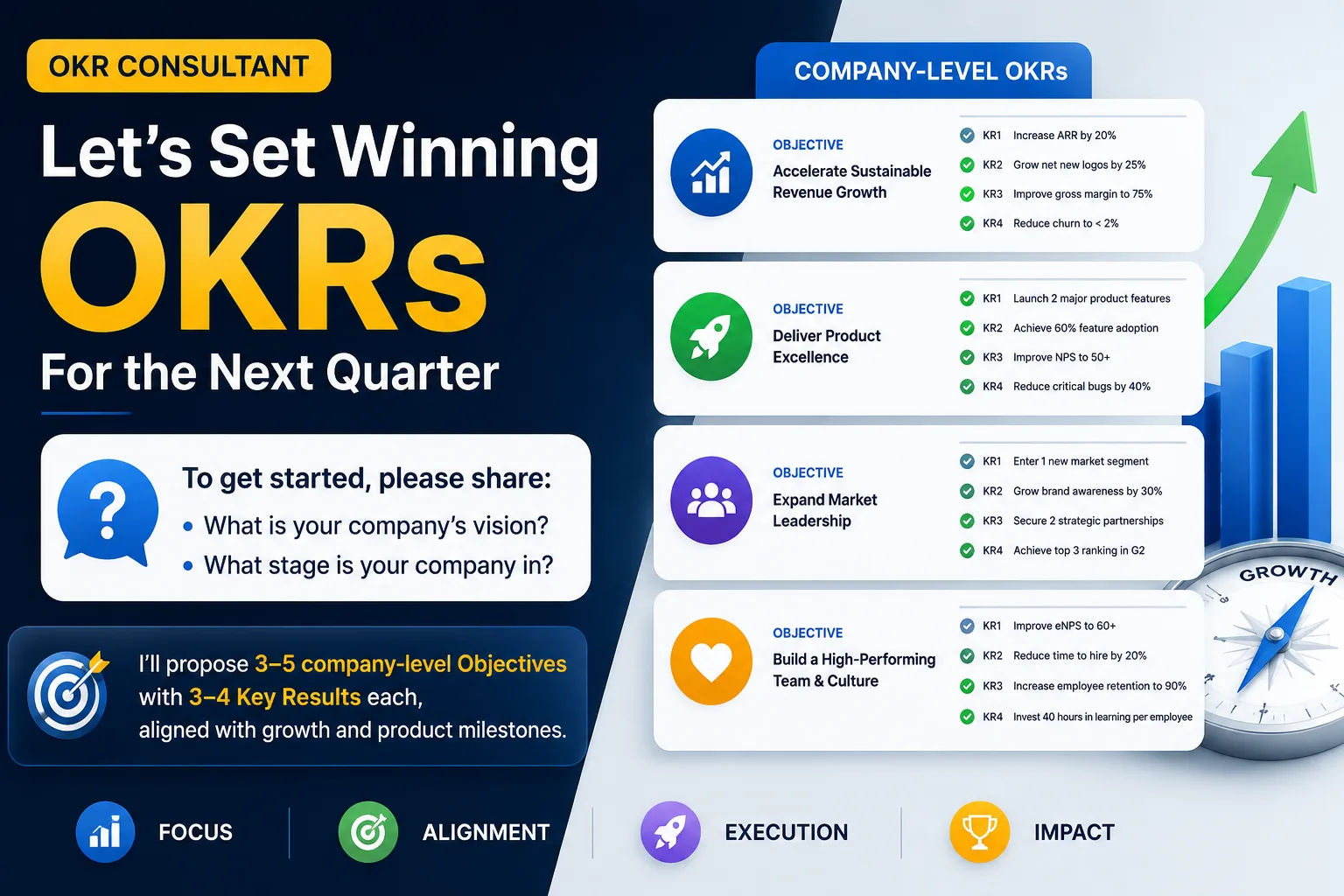
Quarterly OKR Planning Session
Act as an OKR consultant. Ask the user about company vision and current stage. Then propose 3–5 company-level Objectives with 3–4 Key Results each for the next quarter, aligned with growth and product milestones.
Share this prompt
12
VIEWS
·
2
COPIES
·
0
LIKES
Log in to leave a comment.
More Like This
See all →


How to use this prompt
Copy “Quarterly OKR Planning Session” once and reuse it for endless variations in ChatGPT. It works just as well in Midjourney, DALL·E 3 or Gemini, so you’re not locked into one tool.
- Tap Copy above to grab the full prompt.
- Open ChatGPT (or any image AI like Midjourney, DALL·E 3 or Gemini).
- Paste the prompt into the generate box and run it.
- Like the result? Re-roll once or twice and keep your favourite.
Tips & variations
- Add an aspect ratio that fits your platform — portrait for Instagram, wide for banners.
- Swap the main subject for your own to completely change the scene while keeping the style.
- Save a version you like as a template, then only edit the subject line each time.
Frequently asked questions
The prompt is free, but commercial rights depend on the AI tool you generate with. Most paid plans allow commercial use — always check that specific tool’s licence and terms first.
Edit the descriptive words in the prompt — change company vision, the lighting, the colours or the setting. Small wording changes produce big differences in the final image.
It generates a visual built around company vision — part of our Business & Startups collection. Use it as-is or as a starting point you customise to taste.
It’s set up for ChatGPT, and it also works well in Midjourney, DALL·E 3 or Gemini. Image models vary, so try the same prompt in a couple of tools and keep the result you like best.