
5
VIEWS
·
0
COPIES
·
0
LIKES
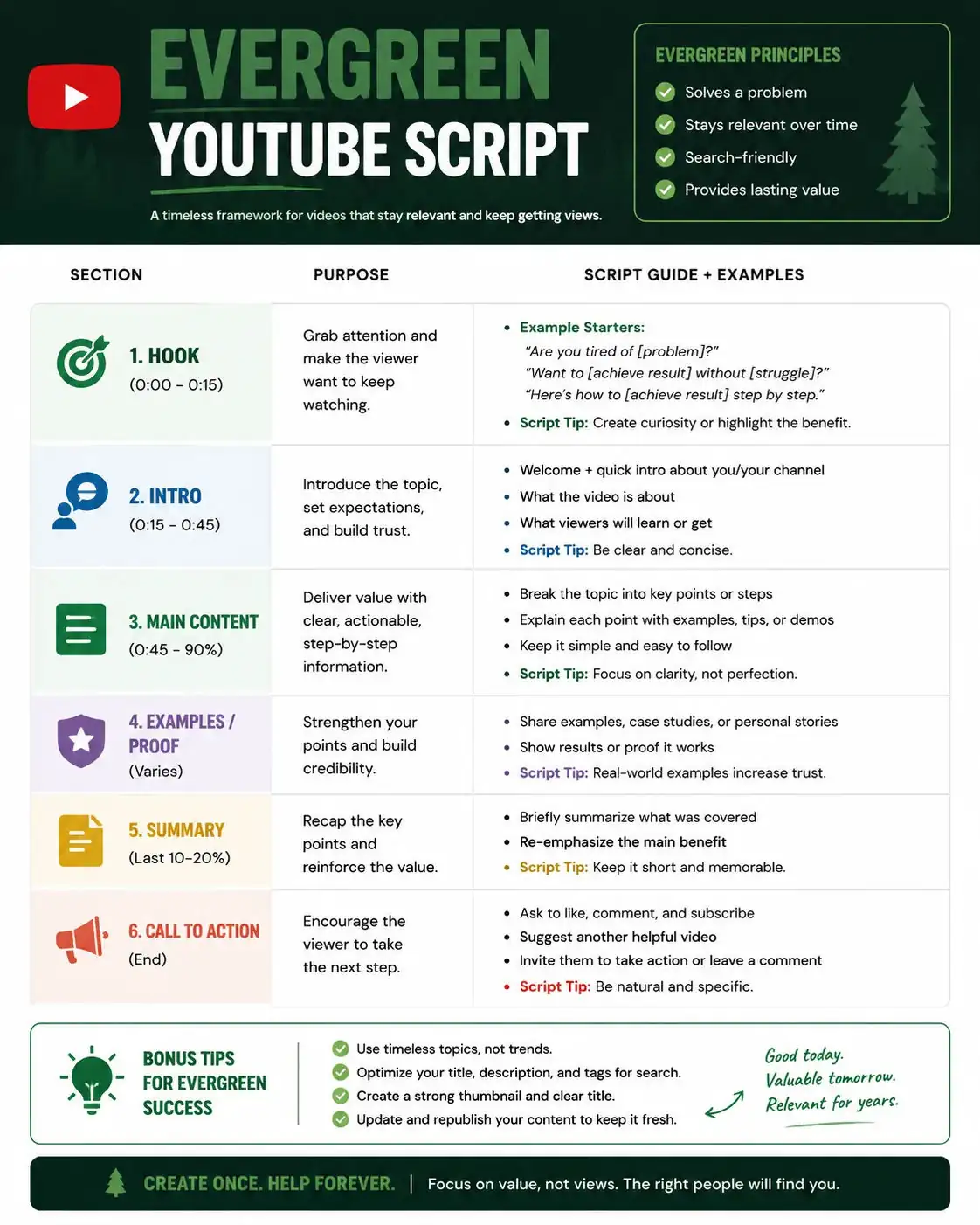
Evergreen YouTube Script
You are a YouTube retention consultant and script editor. Review the provided [SCRIPT DRAFT] and improve it for watch time, emotional engagement, and pacing. First identify weak sections where viewers may lose interest. Then rewrite the opening hook, transitions, and CTA for better retention. Suggest pattern interrupts, stronger storytelling moments, curiosity gaps, and emotional hooks. Include a before-and-after comparison for the first 60 seconds. Also recommend editing improvements like faster cuts, text overlays, b-roll usage, and music pacing. Format the output into Weakness Analysis, Improved Script Sections, Editing Suggestions, and Retention Checklist.
Also try in:
Did this prompt work for you?
Share this prompt
5
VIEWS
·
0
COPIES
·
0
LIKES

Log in to leave a comment.
More Like This
See all →
How to use this prompt
Here’s a shortcut to “Evergreen YouTube Script” — no prompt-writing experience required. It’s tuned to give a repeatable, high-detail image you can refine. What sets this one apart is how it handles watch time.
- Use the Copy button to copy the prompt text.
- Head to ChatGPT and start a new image.
- Set your preferred aspect ratio, then generate.
- Download the version you like and share it.
Tips & variations
- Name a colour palette to keep a series of images visually consistent.
- Tweak the camera/lens cue (“close-up”, “wide shot”) to control the framing.
- Save a version you like as a template, then only edit the subject line each time.
Frequently asked questions
The way it handles watch time is fairly specific, so results tend to be more focused than a generic Youtube script prompt.
It’s set up for ChatGPT, and it also works well in Midjourney, DALL·E 3 or Gemini. Image models vary, so try the same prompt in a couple of tools and keep the result you like best.
Yes — treat it as a starting point. Once you have an output you like, you can feed it back in with a follow-up prompt to refine or extend it further.
The prompt is free, but commercial rights depend on the AI tool you generate with. Most paid plans allow commercial use — always check that specific tool’s licence and terms first.