
7
VIEWS
·
0
COPIES
·
0
LIKES
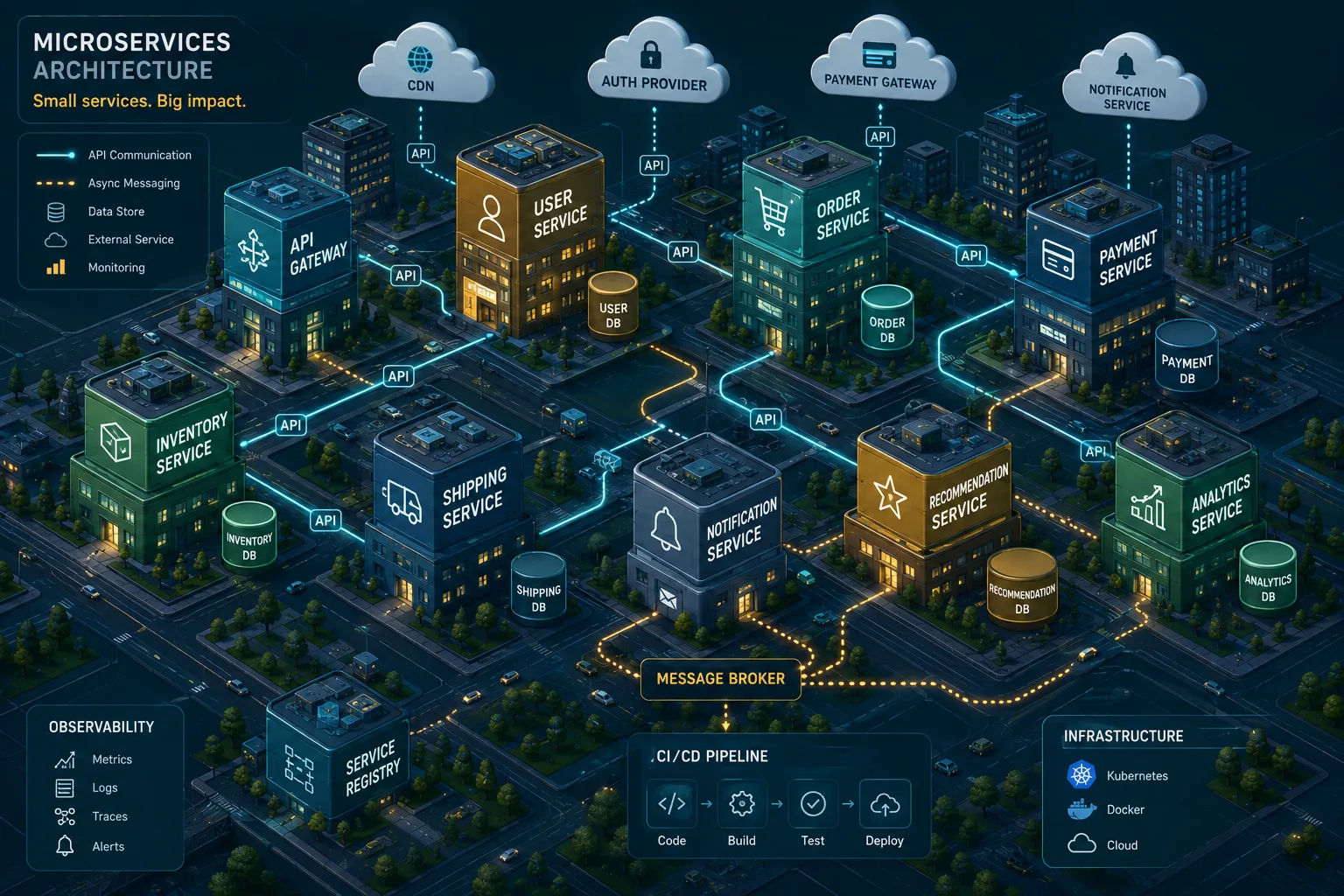
Microservice Boundary Design Coach
You are a systems architect specializing in microservices. Help a team define proper service boundaries for their system. Ask for [domain description], [current modules], [data entities], [scaling hotspots], and [team structure]. Then: 1) Identify domain sub-areas and suggest candidate services for each. 2) Describe responsibilities and data ownership for each proposed service. 3) Propose communication patterns (sync, async, events) between services with reasoning. 4) Highlight anti-patterns to avoid (shared DB, chatty calls). 5) Suggest an incremental migration path from monolith or poorly sliced services. Use clear diagrams described in text and bullet lists instead of long prose.
Open with:
Share this prompt
7
VIEWS
·
0
COPIES
·
0
LIKES
Log in to leave a comment.
More Like This
See all →



How to use this prompt
Here’s a shortcut to “Microservice Boundary Design Coach” — no prompt-writing experience required. It’s tuned to give a repeatable, high-detail image you can refine. What sets this one apart is how it handles systems architect.
- Use the Copy button to copy the prompt text.
- Head to ChatGPT and start a new image.
- Set your preferred aspect ratio, then generate.
- Download the version you like and share it.
Tips & variations
- Save a version you like as a template, then only edit the subject line each time.
- Try the prompt with and without the style words to see how much they’re actually doing.
- Swap the main subject for your own to completely change the scene while keeping the style.
Frequently asked questions
Yes — treat it as a starting point. Once you have an output you like, you can feed it back in with a follow-up prompt to refine or extend it further.
No — the prompt itself works on free tiers of ChatGPT. A paid plan may unlock faster generation, higher limits, or commercial licensing, depending on the tool.
It’s set up for ChatGPT, and it also works well in Midjourney, DALL·E 3 or Gemini. Image models vary, so try the same prompt in a couple of tools and keep the result you like best.
The prompt is free, but commercial rights depend on the AI tool you generate with. Most paid plans allow commercial use — always check that specific tool’s licence and terms first.