
10
VIEWS
·
7
COPIES
·
2
LIKES
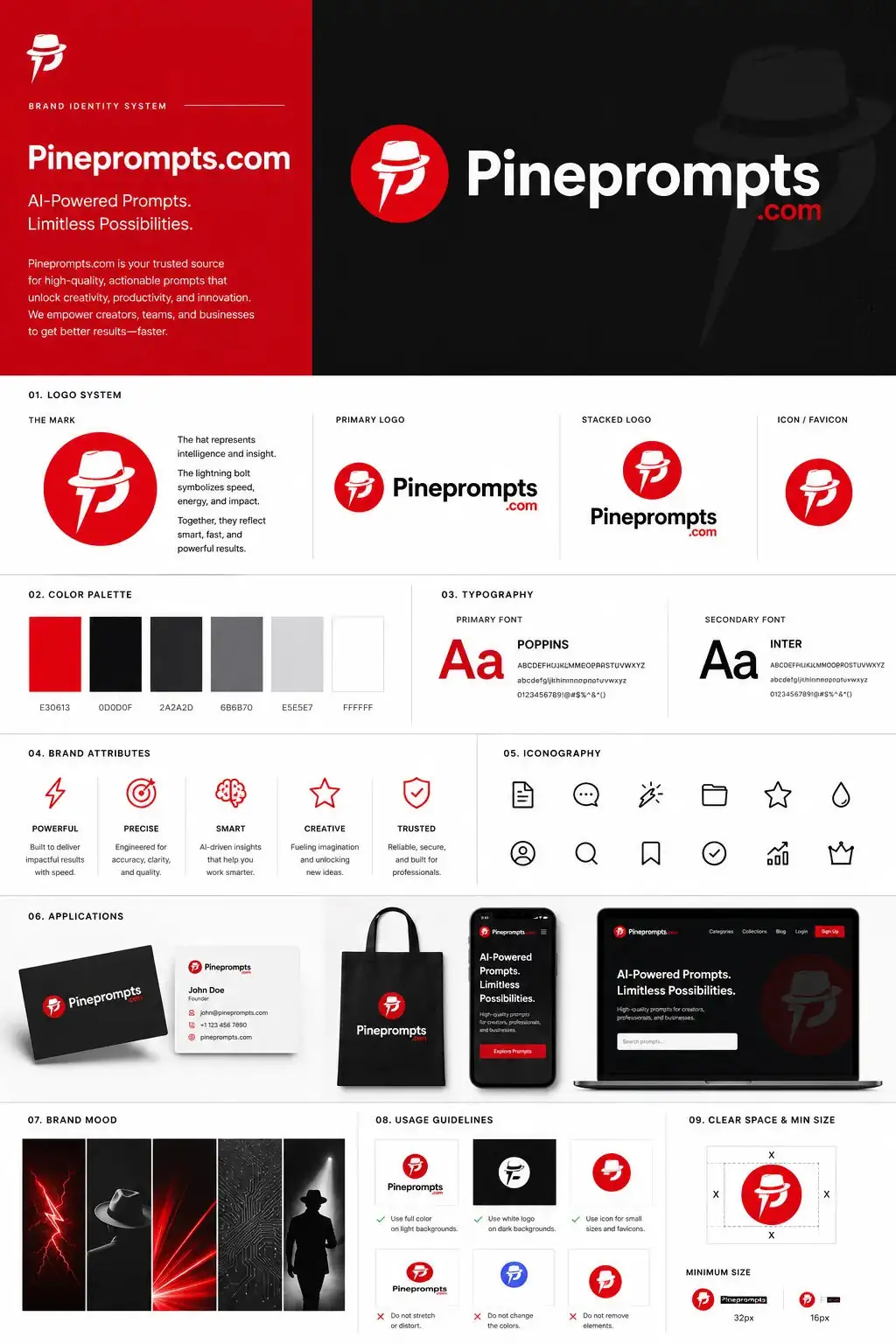
Premium AI Platform Branding Guidelines
Using the uploaded logo for (Brand name) generate a high-end, agency-grade brand identity system poster. --- 🎯 OBJECTIVE Create a complete, presentation-ready brand guideline board that looks like it was designed by a top branding studio. The result must feel commercial, realistic, and client-deliverable, not conceptual. --- ⚠️ INTELLIGENCE RULE (THIS IS WHAT YOU WERE MISSING) Before designing, analyze the logo and infer:
Open with:
Also try in:
Did this prompt work for you?
Share this prompt
10
VIEWS
·
7
COPIES
·
2
LIKES

Log in to leave a comment.
More Like This
See all →









How to use this prompt
This prompt turns one click into a finished “Premium AI Platform Branding Guidelines” visual in ChatGPT. It’s tuned to give a repeatable, high-detail image you can refine. What sets this one apart is how it handles uploaded logo.
- Use the Copy button to copy the prompt text.
- Head to ChatGPT and start a new image.
- Set your preferred aspect ratio, then generate.
- Download the version you like and share it.
Tips & variations
- Name a colour palette to keep a series of images visually consistent.
- Swap the main subject for your own to completely change the scene while keeping the style.
- Append quality modifiers like “highly detailed, 8k, sharp focus” for a cleaner render.
Frequently asked questions
The prompt is free, but commercial rights depend on the AI tool you generate with. Most paid plans allow commercial use — always check that specific tool’s licence and terms first.
Yes — treat it as a starting point. Once you have an output you like, you can feed it back in with a follow-up prompt to refine or extend it further.
No — the prompt itself works on free tiers of ChatGPT. A paid plan may unlock faster generation, higher limits, or commercial licensing, depending on the tool.
AI models are non-deterministic, so results vary each run even with the same prompt. Generate a few times and pick your favourite, or lock a seed if your tool supports it.