
16
VIEWS
·
7
COPIES
·
2
LIKES
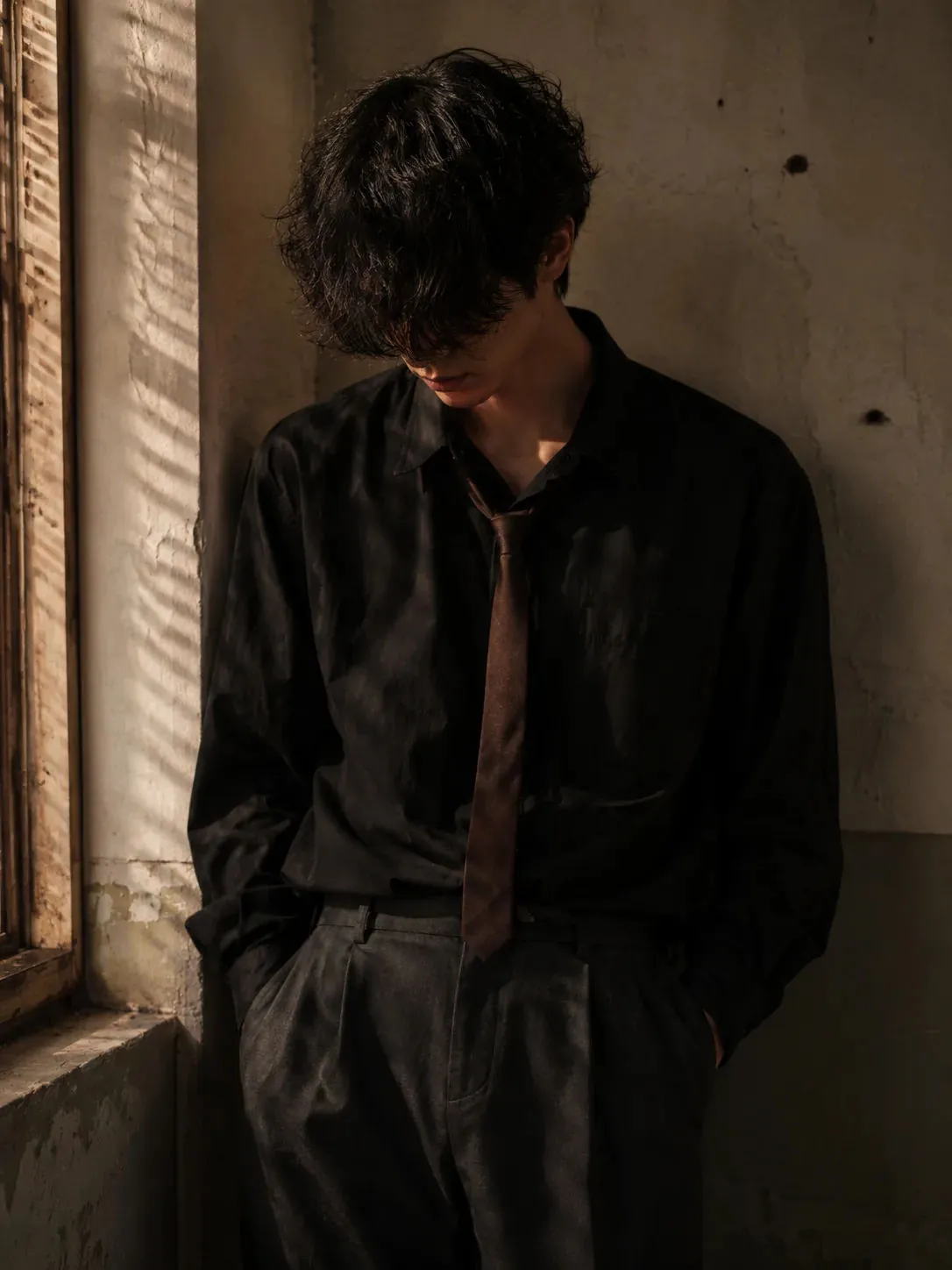
Moody Cinematic Portrait of a Lonely Young Man in Warm Window Light
Moody cinematic portrait of a young man standing indoors against a textured wall corner, messy curly black hair covering eyes, black oversized dress shirt with soft wrinkles, loose dark brown tie, charcoal gray trousers, hands in pockets, head tilted downward, emotional lonely vibe, warm golden side lighting through window blinds, soft shadows on wall, muted earthy tones, cinematic aesthetic, vintage film grain, shallow depth of field, realistic 4K photography, soft contrast.
Open with:
Share this prompt
16
VIEWS
·
7
COPIES
·
2
LIKES

Log in to leave a comment.
More Like This
See all →










How to use this prompt
Want a fast “Moody Cinematic Portrait of a Lonely Young Man in Warm Window Light” result? This Image AI Prompts prompt is set up for ChatGPT. It’s tuned to give a repeatable, high-detail image you can refine. What sets this one apart is how it handles standing indoors.
- Tap Copy above to grab the full prompt.
- Open ChatGPT (or any image AI like Midjourney, DALL·E 3 or Gemini).
- Paste the prompt into the generate box and run it.
- Like the result? Re-roll once or twice and keep your favourite.
Tips & variations
- Try the prompt with and without the style words to see how much they’re actually doing.
- Change the lighting words (e.g. “golden hour”, “studio”, “moody”) to shift the whole mood.
- Push or pull the standing indoors elements specifically — that’s usually the fastest lever here.
Frequently asked questions
Edit the descriptive words in the prompt — change standing indoors, the lighting, the colours or the setting. Small wording changes produce big differences in the final image.
Yes — every prompt on the site is free to copy and use. You only need an account with the AI tool you choose to run it.
It’s set up for ChatGPT, and it also works well in Midjourney, DALL·E 3 or Gemini. Image models vary, so try the same prompt in a couple of tools and keep the result you like best.
Yes — treat it as a starting point. Once you have an output you like, you can feed it back in with a follow-up prompt to refine or extend it further.