
123
VIEWS
·
68
COPIES
·
26
LIKES
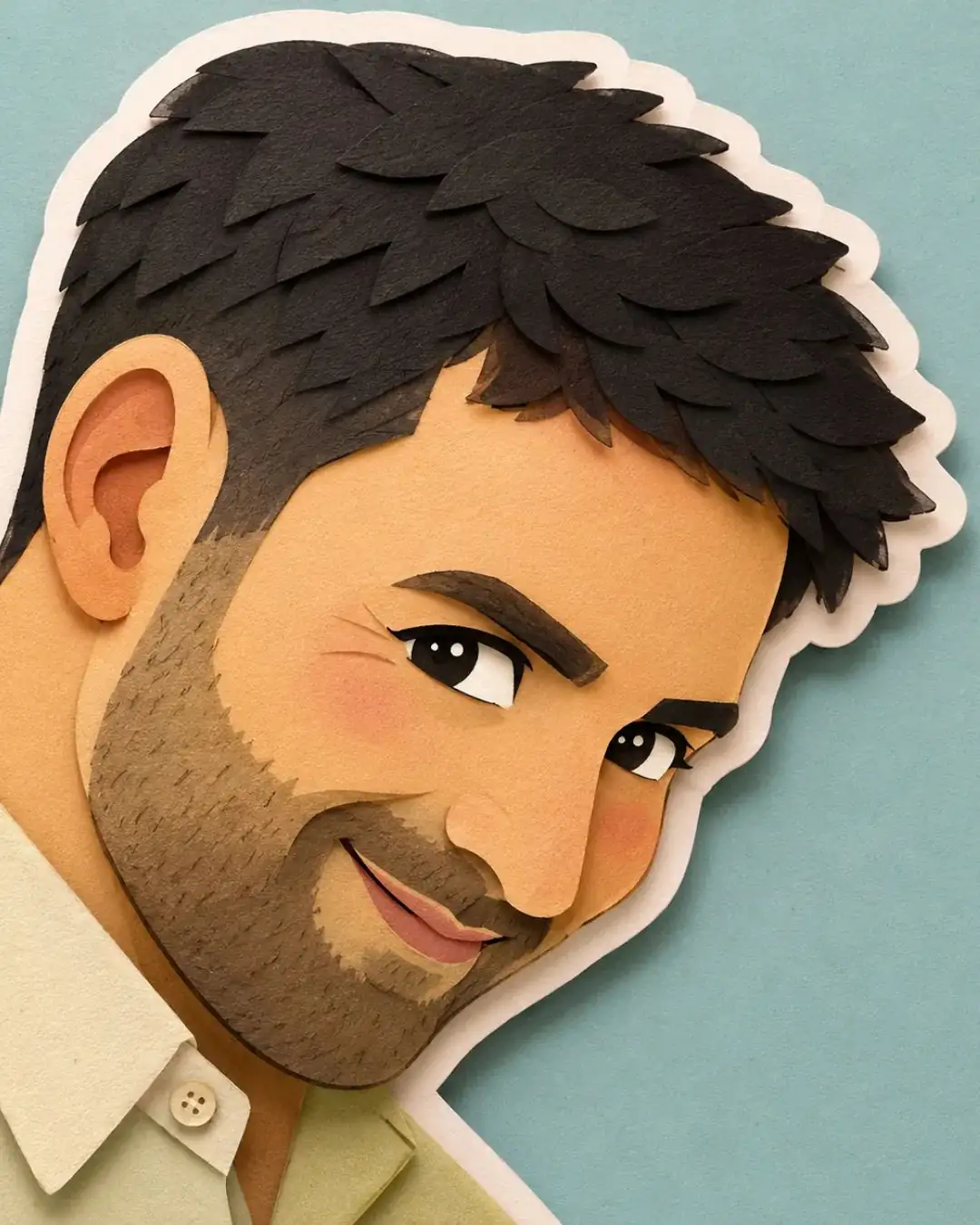
Layered Papercraft Diorama Illustration
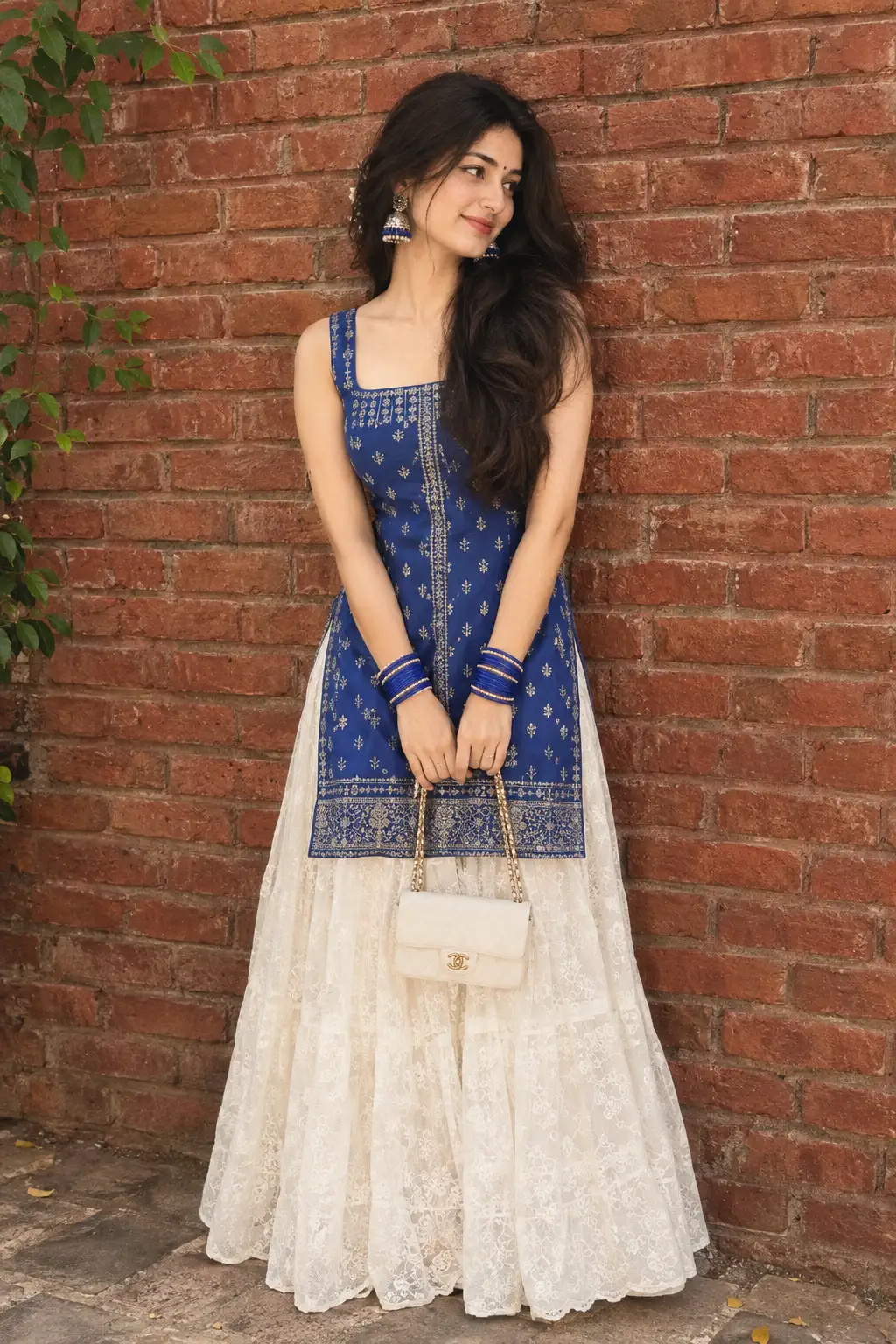
Convert this image into a soft, handcrafted paper-cut layered illustration style, inspired by papercraft diorama aesthetics. Use smooth rounded shapes, simplified cute character proportions, and minimal facial details, but detailed expressions (dot or thick line eyes, blush cheeks) expressive expressions as per the reference image. to create a warm, charming look. Apply stacked paper layers with visible depth, subtle shadows between layers, and clean cut edges that resemble laser-cut cardstock. keep only the main character seen in the image, remove rest.Add a distinct white outer outline layer surrounding each main character, resembling a thick sticker border or white cut-paper backing, clearly separating the characters from the background. This white layer should feel like an intentional paper layer, not a glow. Use a pastel color palette with muted blues, greens, and warm neutrals, balanced and calming. Lighting should feel soft, diffused, and even, enhancing the dimensional paper layers without harsh contrast. Textures should appear matte and tactile, like thick art paper or craft foam. Overall mood: cozy, wholesome, gentle, and storybook-like, with a playful yet polished handcrafted feel suitable for modern illustration, children's books, or decorative art.
Open with:
Also try in:
Did this prompt work for you?
Share this prompt
123
VIEWS
·
68
COPIES
·
26
LIKES

Log in to leave a comment.
More Like This
See all →
How to use this prompt
Here’s a shortcut to “Layered Papercraft Diorama Illustration” — no prompt-writing experience required. It works just as well in Midjourney, DALL·E 3 or Gemini, so you’re not locked into one tool.
- Use the Copy button to copy the prompt text.
- Head to ChatGPT and start a new image.
- Set your preferred aspect ratio, then generate.
- Download the version you like and share it.
Tips & variations
- Save a version you like as a template, then only edit the subject line each time.
- Try the prompt with and without the style words to see how much they’re actually doing.
- Push or pull the paper layers elements specifically — that’s usually the fastest lever here.
Frequently asked questions
The prompt is free, but commercial rights depend on the AI tool you generate with. Most paid plans allow commercial use — always check that specific tool’s licence and terms first.
It’s set up for ChatGPT, and it also works well in Midjourney, DALL·E 3 or Gemini. Image models vary, so try the same prompt in a couple of tools and keep the result you like best.
It generates a visual built around paper layers — part of our Image AI Prompts collection. Use it as-is or as a starting point you customise to taste.
Yes — treat it as a starting point. Once you have an output you like, you can feed it back in with a follow-up prompt to refine or extend it further.