
14
VIEWS
·
2
COPIES
·
1
LIKES
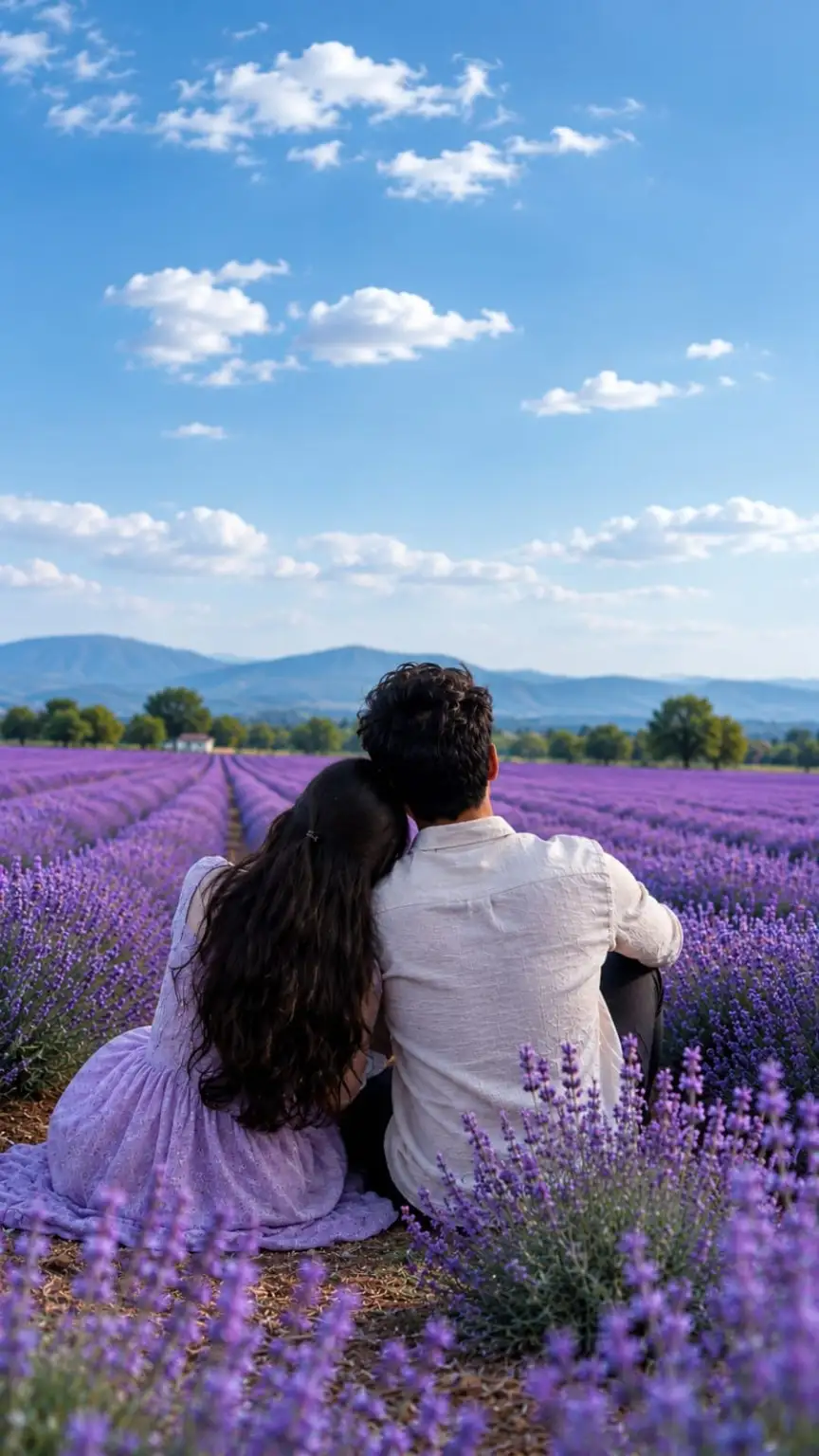
Lavender Romance – Cinematic 8K Wallpaper
Use the uploaded reference image as the primary composition reference. Transform the scene into a dark, cinematic, ultra-realistic 8K wallpaper while preserving the original composition, couple placement, lavender field perspective, mountain landscape, and overall romantic atmosphere.A young couple sitting closely together from behind in the middle of a vast lavender field, quietly looking toward the distant mountains. Keep their natural body proportions, clothing style, hairstyle, pose, and positioning consistent with the reference image. Do not reveal or alter their faces.Replace the bright daytime sky with a deep dark-blue twilight sky, rich navy and indigo tones, dramatic soft clouds with subtle warm sunset highlights near the horizon, creating a mysterious romantic evening atmosphere. Add a very subtle gradient from deep midnight blue at the top to muted violet-blue near the horizon.The entire lavender field should become richer and deeper purple, with realistic individual lavender flowers and natural rows extending toward the mountains. Add soft foreground lavender flowers with beautiful cinematic depth of field and gentle bokeh.Distant mountains should appear darker and atmospheric, with realistic blue-purple haze and subtle layers of depth. Keep the trees and landscape natural and photorealistic.Use cinematic low-key lighting, soft rim light around the couple, subtle warm backlight from the horizon, realistic shadows, deep blacks, controlled highlights, natural purple tones, and a premium cinematic color grade.Photography style: professional full-frame DSLR/mirrorless photography, 85mm lens look, f/1.8 depth of field, realistic atmospheric perspective, natural lens compression, subtle volumetric light, realistic flower texture, detailed fabric texture, natural skin and hair texture, high dynamic range without an HDR look.Mood: romantic, peaceful, dreamy, intimate, mysterious, premium cinematic wallpaper.Quality: ultra photorealistic, extremely detailed, crisp subject separation, realistic lighting, realistic textures, cinematic color grading, professional photography, 8K UHD, ultra high resolution, clean image, no artificial CGI appearance.Composition: vertical 9:16 wallpaper, keep the couple in the lower-middle portion of the frame, large dramatic sky occupying the upper portion, strong leading lines from the lavender rows toward the mountains, balanced negative space, visually immersive.Negative prompt: cartoon, anime, illustration, painting, CGI, plastic texture, oversaturated purple, excessive HDR, unrealistic lighting, distorted bodies, extra limbs, duplicated flowers, artificial landscape, blurry subject, low resolution, noise, artifacts, over-sharpening, face alteration, identity change.
Also try in:
Did this prompt work for you?
Share this prompt
14
VIEWS
·
2
COPIES
·
1
LIKES

Log in to leave a comment.
More Like This
See all →
How to use this prompt
Copy “Lavender Romance – Cinematic 8K Wallpaper” once and reuse it for endless variations in Chatgpt. Drop it in and adjust the details to make the result your own. This version leans on reference image, which gives the result its character.
- Tap Copy above to grab the full prompt.
- Open Chatgpt (or any image AI like Midjourney, DALL·E 3 or Gemini).
- Paste the prompt into the generate box and run it.
- Like the result? Re-roll once or twice and keep your favourite.
Tips & variations
- Push or pull the reference image elements specifically — that’s usually the fastest lever here.
- Replace the setting or background to repurpose the same prompt for a new theme.
- Change the lighting words (e.g. “golden hour”, “studio”, “moody”) to shift the whole mood.
Frequently asked questions
No — the prompt itself works on free tiers of Chatgpt. A paid plan may unlock faster generation, higher limits, or commercial licensing, depending on the tool.
Yes — treat it as a starting point. Once you have an output you like, you can feed it back in with a follow-up prompt to refine or extend it further.
Edit the descriptive words in the prompt — change reference image, the lighting, the colours or the setting. Small wording changes produce big differences in the final image.
The way it handles reference image is fairly specific, so results tend to be more focused than a generic Wallpaper prompt prompt.