
37
VIEWS
·
12
COPIES
·
0
LIKES
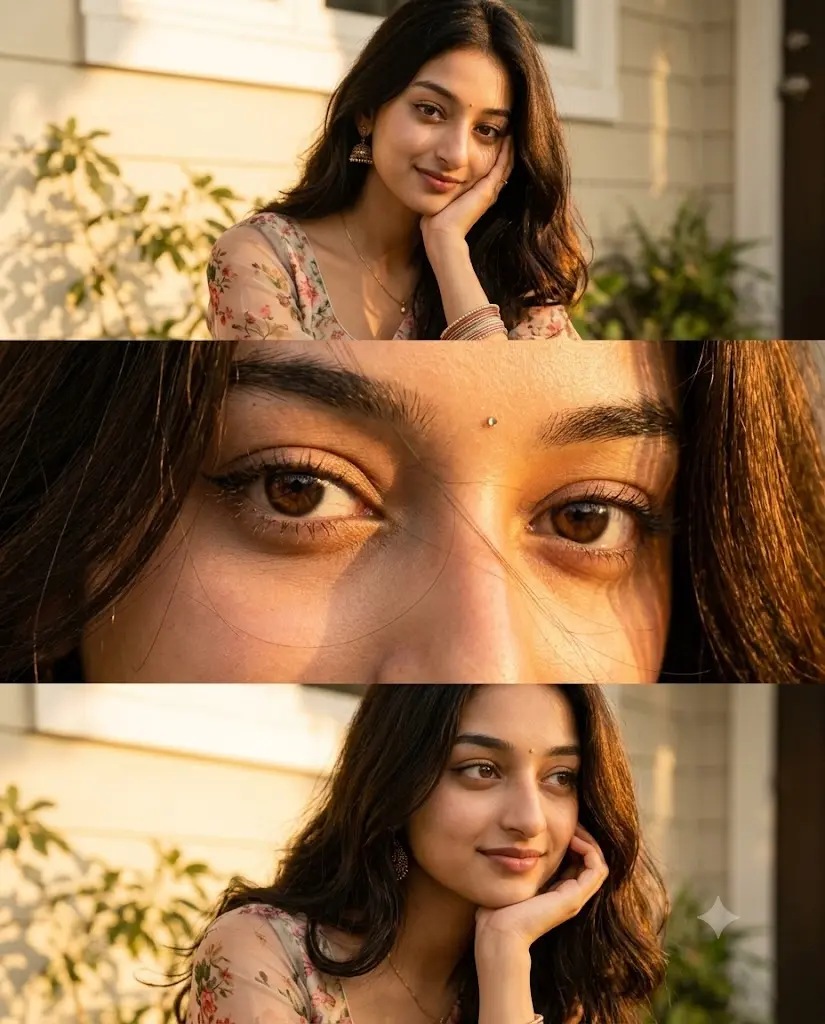
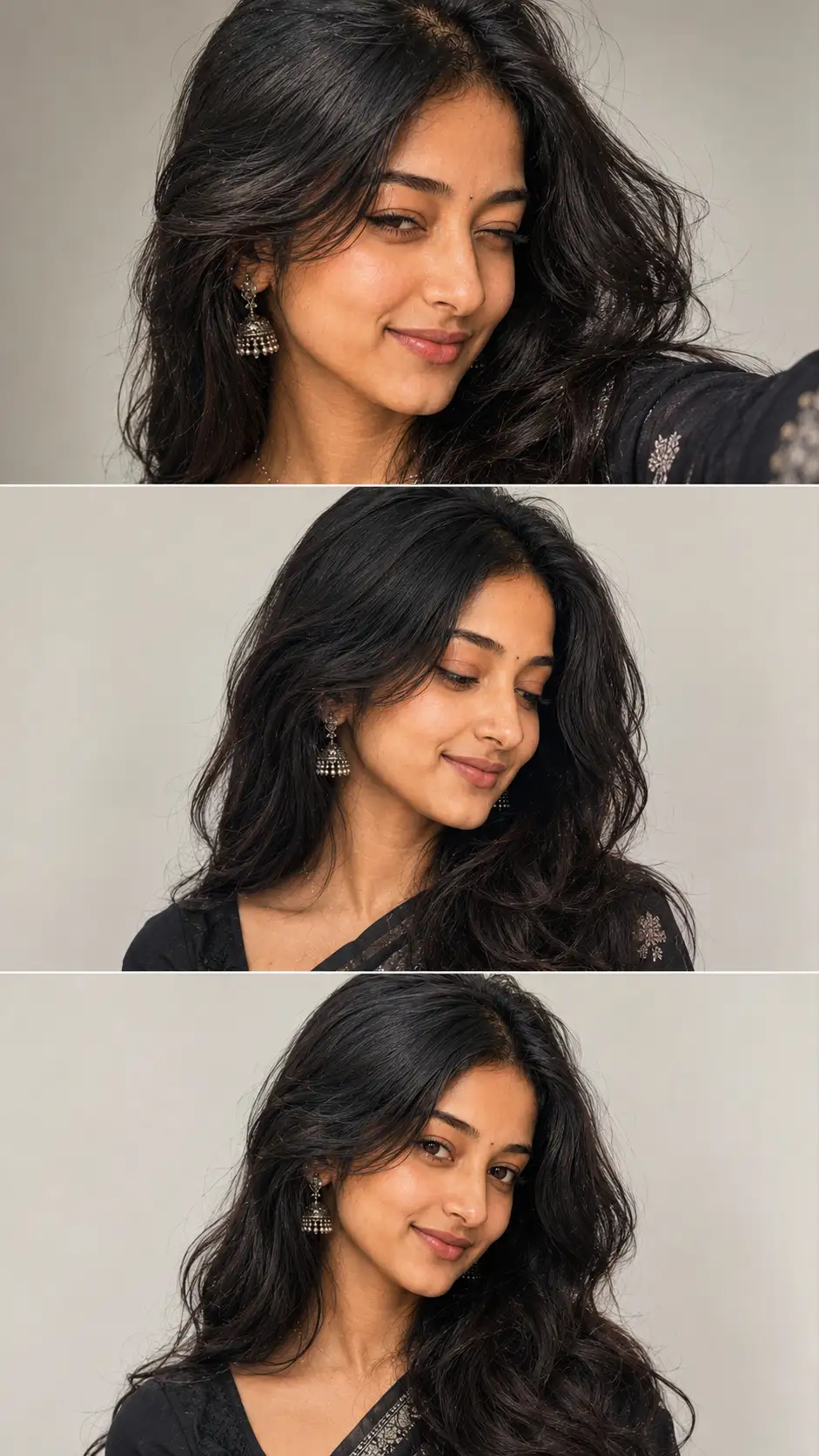
Golden Hour Glow: 3-Panel Cinematic Portrait
Ultra-realistic cinematic 3-panel portrait collage of the young adult South Asian woman from the reference image, capturing her during warm golden-hour sunlight while preserving her exact facial identity, features, skin tone, and bone structure. She has long, naturally wavy dark black-brown hair with loose strands softly blowing across her face, expressive dark brown eyes, a tiny bindi, subtle natural makeup, and traditional gold jhumka earrings matching the reference.Top Panel: Medium close-up portrait. She is resting her cheek gently on one hand, looking directly at the camera with a soft, warm smile. She wears a delicate floral-patterned traditional outfit with sheer fabric sleeves and subtle bangles.Middle Panel: Extreme close-up focusing tightly on her eyes and face. Highlights include detailed eyelashes, natural skin texture, delicate loose strands of hair crossing her nose and eyes, and vibrant golden sunlight illuminating her irises and skin.Bottom Panel: Close-up three-quarter portrait. Her hand gently supports her chin as she looks slightly off-camera to the side with a calm, peaceful expression.Environment & Atmosphere: Set outdoors beside a warm cream-colored house wall and a dark wooden doorway, with soft, dapple-leaf plant shadows cast across the background. Strong, warm golden-hour directional sunlight creates rim lighting on her hair and a rich amber glow across all three panels.Style & Quality: Photorealistic, 85mm portrait lens effect, f/1.8 shallow depth of field, natural skin texture, realistic hair physics, soft background bokeh, cinematic color grading, clean horizontal panel divisions, vertical 4:5 aspect ratio.
Open with:
Share this prompt
37
VIEWS
·
12
COPIES
·
0
LIKES

Log in to leave a comment.
More Like This
See all →





How to use this prompt
“Golden Hour Glow: 3-Panel Cinematic Portrait” packages the descriptive detail an image model needs into one prompt. It’s tuned to give a repeatable, high-detail image you can refine. What sets this one apart is how it handles warm golden-hour.
- Grab the prompt with the Copy button at the top.
- Paste it into Gemini.
- Run it, focusing on warm golden-hour if you want to steer the result.
- Regenerate to explore a few different takes on the same idea.
Tips & variations
- Append quality modifiers like “highly detailed, 8k, sharp focus” for a cleaner render.
- Save a version you like as a template, then only edit the subject line each time.
- Tweak the camera/lens cue (“close-up”, “wide shot”) to control the framing.
Frequently asked questions
Yes — every prompt on the site is free to copy and use. You only need an account with the AI tool you choose to run it.
It generates a visual built around warm golden-hour — part of our Image AI Prompts collection. Use it as-is or as a starting point you customise to taste.
The prompt is free, but commercial rights depend on the AI tool you generate with. Most paid plans allow commercial use — always check that specific tool’s licence and terms first.
No — the prompt itself works on free tiers of Gemini. A paid plan may unlock faster generation, higher limits, or commercial licensing, depending on the tool.