
56
VIEWS
·
60
COPIES
·
3
LIKES
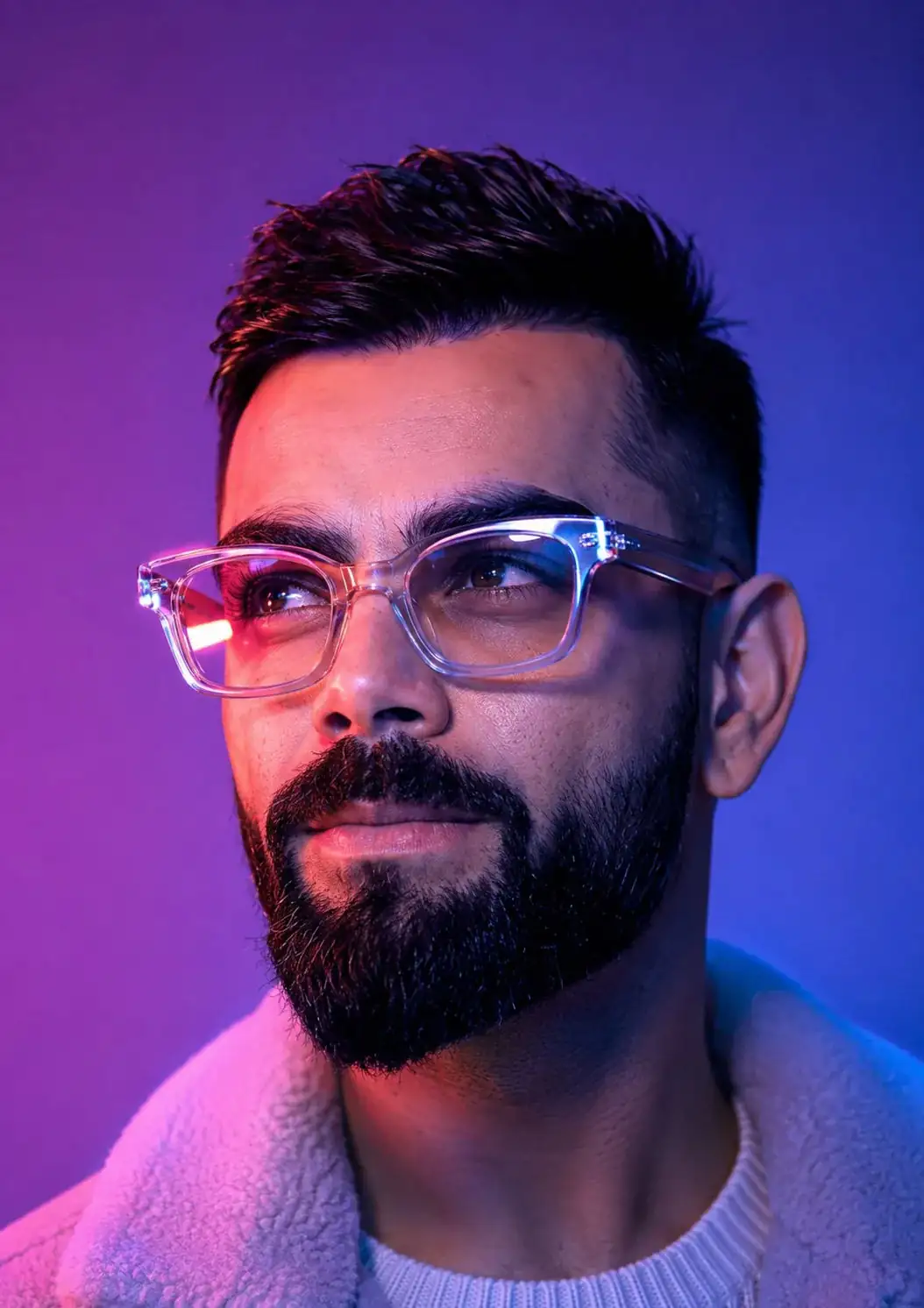
Neon Visionary Portrait in Purple & Blue
Create an ultra-realistic cinematic close-up portrait using the uploaded face as the exact identity reference. Preserve 100% of the person's facial structure, proportions, skin texture, wrinkles, eye shape, eyebrows, nose, lips, hairstyle, beard, expression, and all unique facial features. Depict the subject wearing modern oversized transparent-frame glasses, gazing upward with a thoughtful, visionary expression. Illuminate the scene with dramatic neon lighting in vibrant purple, magenta, and electric blue tones, casting soft gradients across the face and creating vivid reflections in the lenses. Use a clean minimalist gradient background with a futuristic atmosphere. Capture every skin pore, beard strand, and hair texture with exceptional realism. Soft cinematic lighting, HDR, volumetric glow, ultra-detailed facial features, subtle film grain, shallow depth of field, shot on a full-frame camera with an 85mm f/1.4 lens, razor-sharp focus on the eyes, 8K resolution, premium luxury editorial, futuristic technology aesthetic, Apple-style commercial photography, masterpiece quality.
Open with:
Share this prompt
56
VIEWS
·
60
COPIES
·
3
LIKES

Log in to leave a comment.
More Like This
See all →
How to use this prompt
“Neon Visionary Portrait in Purple & Blue” is a ready-to-use Image AI Prompts prompt built for ChatGPT. It’s tuned to give a repeatable, high-detail image you can refine. What sets this one apart is how it handles facial features.
- Grab the prompt with the Copy button at the top.
- Paste it into ChatGPT.
- Run it, focusing on facial features if you want to steer the result.
- Regenerate to explore a few different takes on the same idea.
Tips & variations
- Add an aspect ratio that fits your platform — portrait for Instagram, wide for banners.
- Push or pull the facial features elements specifically — that’s usually the fastest lever here.
- Try the prompt with and without the style words to see how much they’re actually doing.
Frequently asked questions
Yes — every prompt on the site is free to copy and use. You only need an account with the AI tool you choose to run it.
Yes — treat it as a starting point. Once you have an output you like, you can feed it back in with a follow-up prompt to refine or extend it further.
Edit the descriptive words in the prompt — change facial features, the lighting, the colours or the setting. Small wording changes produce big differences in the final image.
It’s set up for ChatGPT, and it also works well in Midjourney, DALL·E 3 or Gemini. Image models vary, so try the same prompt in a couple of tools and keep the result you like best.