
17
VIEWS
·
3
COPIES
·
1
LIKES
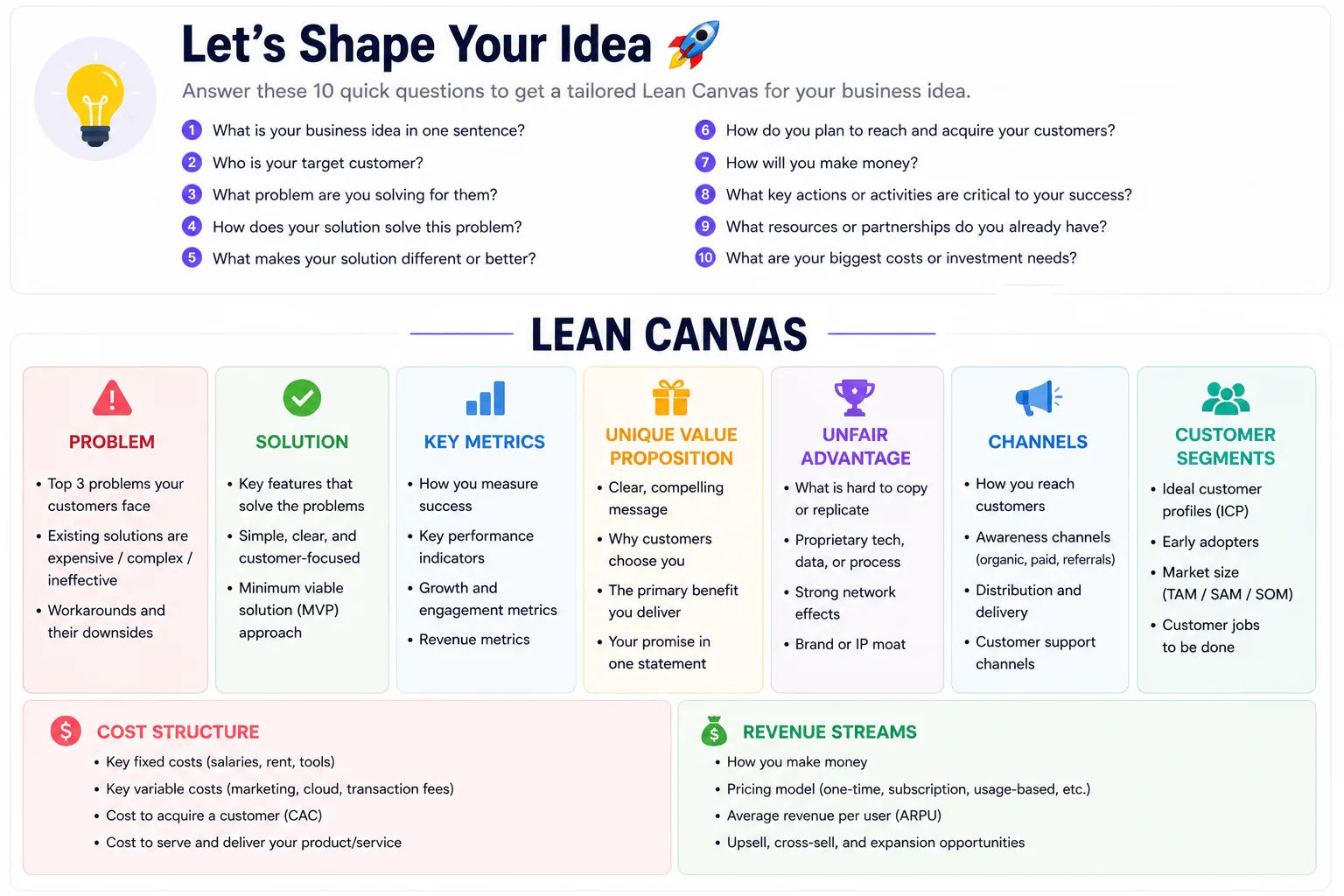
Lean Canvas Auto-Generator
Ask the user 10 questions about their business idea, then generate a full Lean Canvas with sections: Problem, Solution, Key Metrics, Unique Value Proposition, Unfair Advantage, Channels, Customer Segments, Cost Structure, Revenue Streams. Provide concise bullet points for each.
Share this prompt
17
VIEWS
·
3
COPIES
·
1
LIKES

Log in to leave a comment.
More Like This




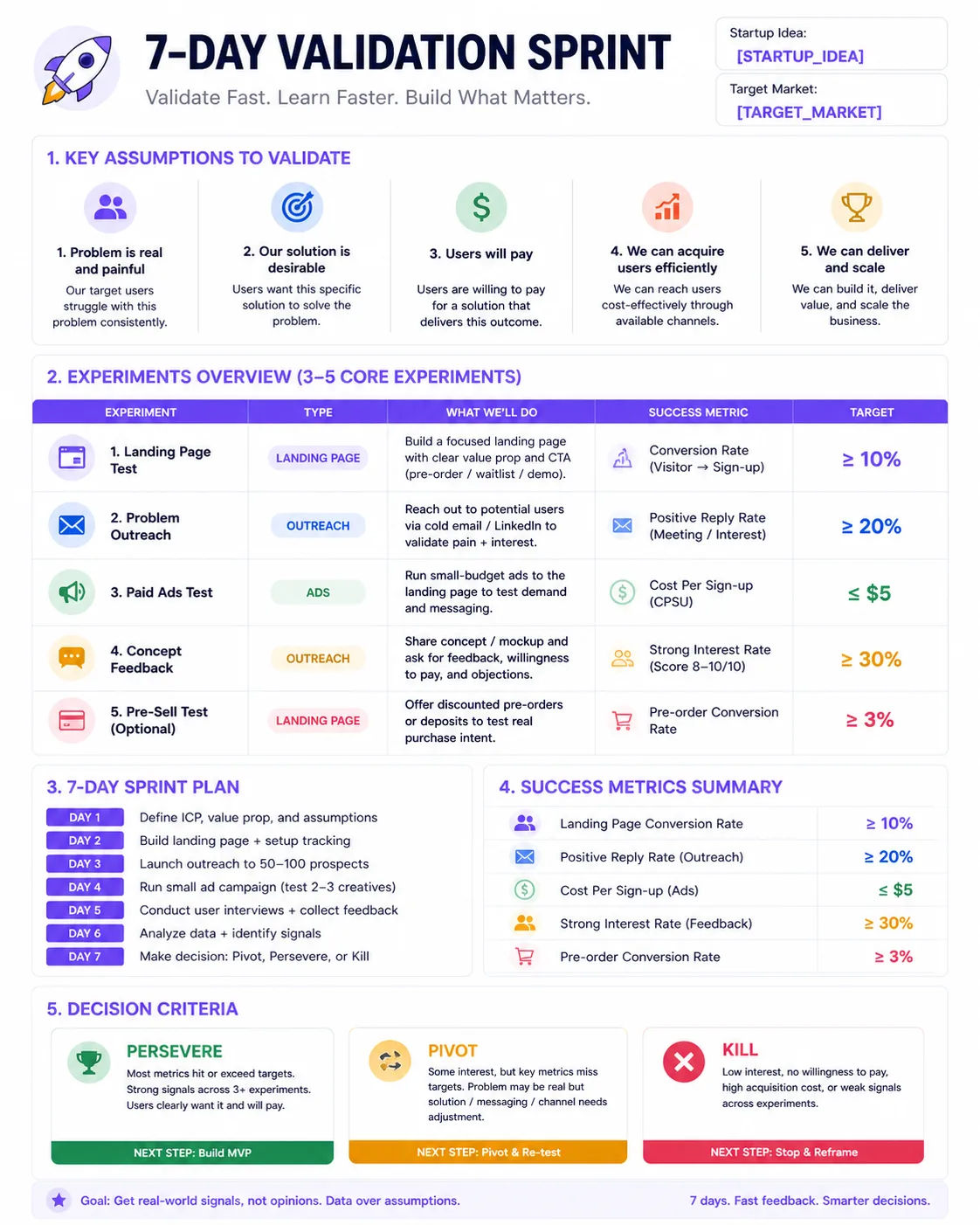
How to use this prompt
“Lean Canvas Auto-Generator” is a ready-to-use AI image prompt built for ChatGPT. It works just as well in Midjourney, DALL·E 3 or Gemini, so you’re not locked into one tool.
- Grab the prompt with the Copy button at the top.
- Paste it into ChatGPT.
- Run it, focusing on user questions if you want to steer the result.
- Regenerate to explore a few different takes on the same idea.
Tips & variations
- Tweak the camera/lens cue (“close-up”, “wide shot”) to control the framing.
- Add an aspect ratio that fits your platform — portrait for Instagram, wide for banners.
- Save a version you like as a template, then only edit the subject line each time.
Frequently asked questions
It’s set up for ChatGPT, and it also works well in Midjourney, DALL·E 3 or Gemini. Image models vary, so try the same prompt in a couple of tools and keep the result you like best.
Edit the descriptive words in the prompt — change user questions, the lighting, the colours or the setting. Small wording changes produce big differences in the final image.
No — the prompt itself works on free tiers of ChatGPT. A paid plan may unlock faster generation, higher limits, or commercial licensing, depending on the tool.
Yes — treat it as a starting point. Once you have an output you like, you can feed it back in with a follow-up prompt to refine or extend it further.