
10
VIEWS
·
0
COPIES
·
0
LIKES
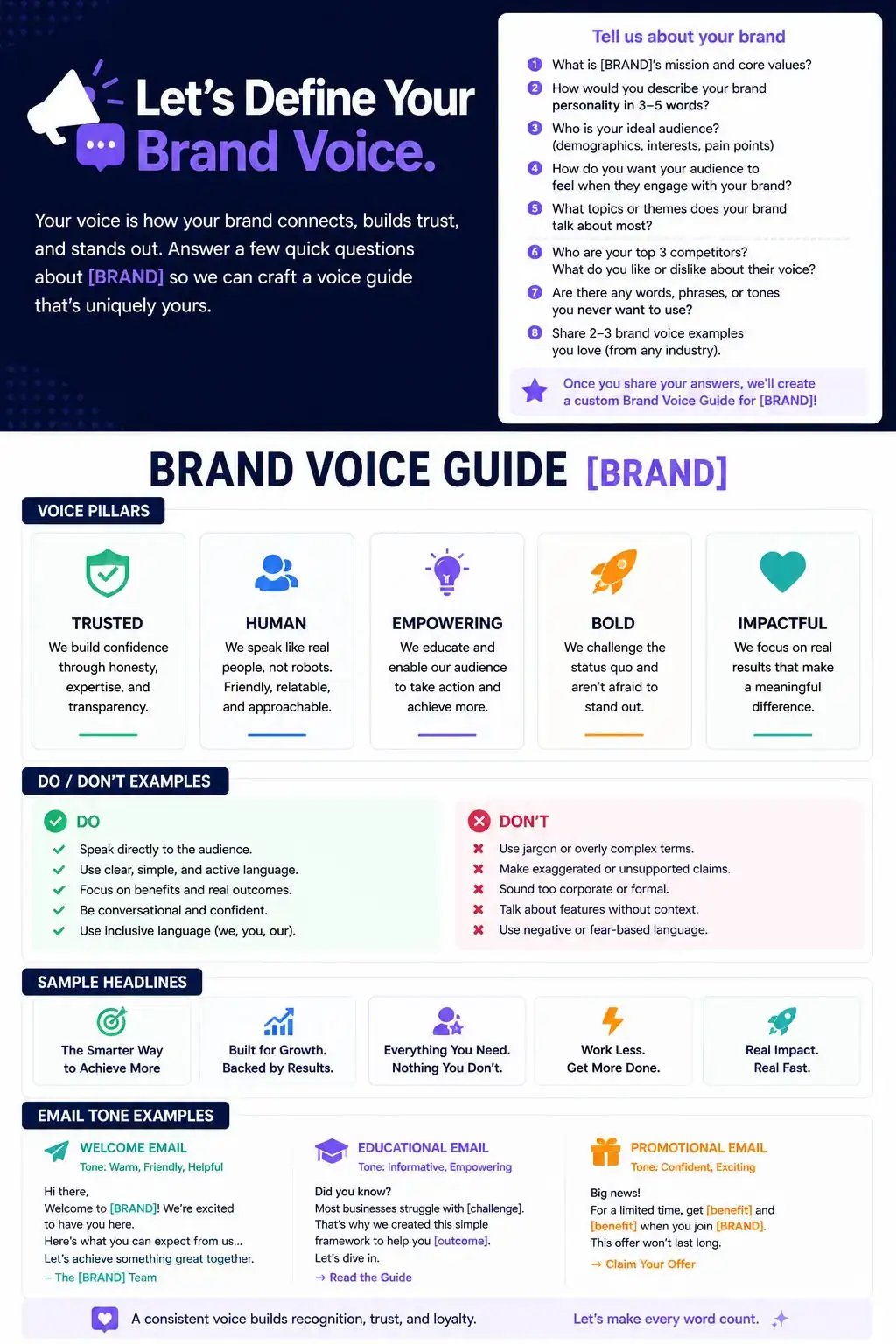
Brand Voice Guidelines Generator
Ask the user questions about [BRAND]’s personality, audience, and competitors. Then generate a brand voice guide with sections: Voice pillars, Do/Don’t examples, Sample headlines, and Email tone examples. Output formatted as a document they can share internally.
Also try in:
Did this prompt work for you?
Share this prompt
10
VIEWS
·
0
COPIES
·
0
LIKES

Log in to leave a comment.
More Like This
See all →






How to use this prompt
This Marketing prompt does the heavy lifting for “Brand Voice Guidelines Generator”. Drop your own context in and it adapts around it. This version leans on user questions, which gives the result its character.
- Tap Copy above to grab the full prompt.
- Open ChatGPT (or ChatGPT, Claude or Gemini) and start a new chat.
- Paste the prompt and swap in your own details where it fits.
- Send it, then refine with a quick follow-up message.
Tips & variations
- Ask a clarifying question back if the first answer feels generic.
- Give it your real specifics — the more context you add, the better the answer.
- Ask it to explain its reasoning if you want to learn the approach.
Frequently asked questions
It’s written for ChatGPT, but ChatGPT, Claude or Gemini handle it well too. Pick the assistant you already use and refine from there.
The way it handles user questions is fairly specific, so results tend to be more focused than a generic Marketing prompt.
No — the prompt itself works on free tiers of ChatGPT. A paid plan may unlock faster generation, higher limits, or commercial licensing, depending on the tool.
Replace the parts around user questions with your own topic, audience and tone, then ask follow-up questions to steer the answer.