
7
VIEWS
·
1
COPIES
·
0
LIKES
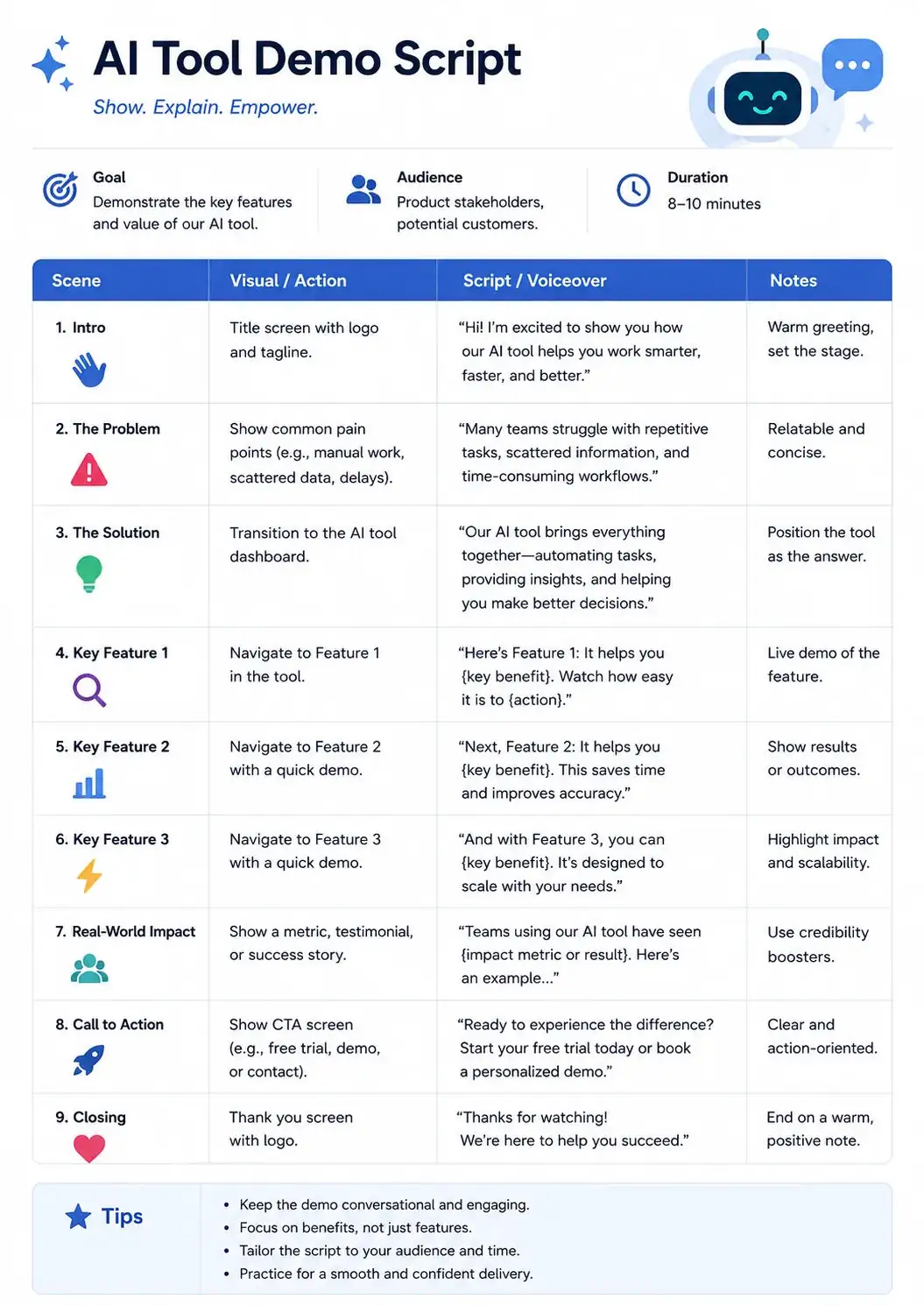
AI Tool Demo Script
You are a faceless YouTube automation scriptwriter specializing in viral storytelling. Create a premium ai tool demo script and a complete faceless YouTube script for [TOPIC] aimed at [TARGET AUDIENCE]. Write a fast-paced opening hook in the first 5 seconds, then structure the script into short engaging sections with narration lines optimized for AI voiceover tools. Include detailed suggestions for stock footage, captions, transitions, and background visuals for each section. Use curiosity loops, emotional triggers, and storytelling techniques that keep viewers watching until the end. Add editing suggestions for zoom cuts, sound effects, and dramatic pauses. End with a subtle CTA that feels natural for faceless channels.
Also try in:
Did this prompt work for you?
Share this prompt
7
VIEWS
·
1
COPIES
·
0
LIKES

Log in to leave a comment.
More Like This
See all →
How to use this prompt
“AI Tool Demo Script” is a ready-to-use Youtube script prompt built for ChatGPT. Drop it in and adjust the details to make the result your own. This version leans on youtube automation, which gives the result its character.
- Grab the prompt with the Copy button at the top.
- Paste it into ChatGPT.
- Run it, focusing on youtube automation if you want to steer the result.
- Regenerate to explore a few different takes on the same idea.
Tips & variations
- Tweak the camera/lens cue (“close-up”, “wide shot”) to control the framing.
- Change the lighting words (e.g. “golden hour”, “studio”, “moody”) to shift the whole mood.
- Append quality modifiers like “highly detailed, 8k, sharp focus” for a cleaner render.
Frequently asked questions
The way it handles youtube automation is fairly specific, so results tend to be more focused than a generic Youtube script prompt.
AI models are non-deterministic, so results vary each run even with the same prompt. Generate a few times and pick your favourite, or lock a seed if your tool supports it.
Yes — treat it as a starting point. Once you have an output you like, you can feed it back in with a follow-up prompt to refine or extend it further.
Edit the descriptive words in the prompt — change youtube automation, the lighting, the colours or the setting. Small wording changes produce big differences in the final image.