
26
VIEWS
·
30
COPIES
·
1
LIKES
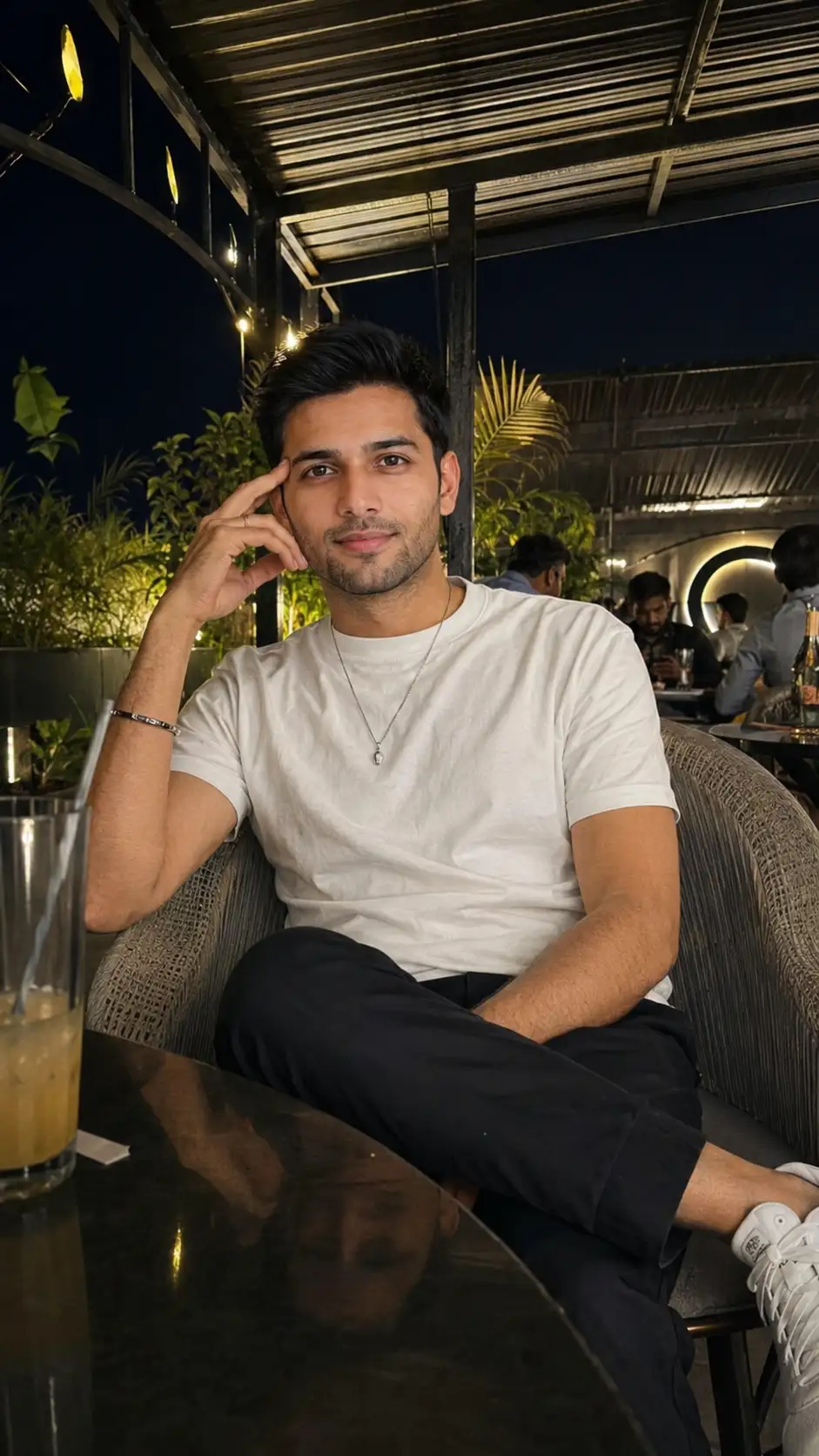
Ultra-Realistic Nighttime Rooftop Café iPhone 16 Pro Max Portrait
Use the uploaded face photo as the only identity reference. Preserve the subject's face with 100% accuracy, including exact facial structure, bone structure, jawline, chin, forehead, hairline, hairstyle, eyebrows, eyes, eyelids, eye spacing, nose shape, nostrils, lips, smile, ears, beard density, skin tone, complexion, facial proportions, expression, and every unique identifying feature. Do not beautify, reshape, age, de-age, slim, widen, sharpen, soften, or alter any facial characteristic. Maintain the exact natural appearance from the reference image.Create an ultra-realistic full-body candid iPhone 16 Pro Max nighttime photo of the same person sitting comfortably with one leg crossed and one hand gently touching the side of his face, smiling naturally toward the camera. He is wearing a plain white crew-neck T-shirt, dark relaxed-fit trousers, clean white sneakers, a thin bracelet, a simple ring, and a minimalist necklace.The setting is a cozy rooftop café, balcony, or outdoor terrace at night beneath a corrugated metal canopy supported by a black steel frame. Surround the scene with warm ambient lights, soft bokeh, subtle greenery, modern café furniture, and a relaxed evening atmosphere. Capture authentic low-light reflections, realistic skin texture, natural fabric wrinkles, and accurate smartphone color science.The image must look like a genuine handheld iPhone 16 Pro Max snapshot taken by a friend, featuring slight handheld camera shake, natural framing, mild lens softness, realistic HDR, subtle digital noise, and authentic smartphone imperfections. No Portrait Mode, DSLR depth of field, cinematic grading, studio lighting, beauty filters, skin smoothing, CGI, AI artifacts, overprocessed HDR, or any change to facial identity. Prioritize realism over perfection.
Aspect Ratio: 9:16
Open with:
Share this prompt
26
VIEWS
·
30
COPIES
·
1
LIKES

Log in to leave a comment.
More Like This
See all →
How to use this prompt
“Ultra-Realistic Nighttime Rooftop Café iPhone 16 Pro Max Portrait” packages the descriptive detail an image model needs into one prompt. Paste it into ChatGPT and you’ll get a detailed result in seconds. The specific phrasing around uploaded face is doing most of the work here.
- Grab the prompt with the Copy button at the top.
- Paste it into ChatGPT.
- Run it, focusing on uploaded face if you want to steer the result.
- Regenerate to explore a few different takes on the same idea.
Tips & variations
- Replace the setting or background to repurpose the same prompt for a new theme.
- Append quality modifiers like “highly detailed, 8k, sharp focus” for a cleaner render.
- Add an aspect ratio that fits your platform — portrait for Instagram, wide for banners.
Frequently asked questions
It’s set up for ChatGPT, and it also works well in Midjourney, DALL·E 3 or Gemini. Image models vary, so try the same prompt in a couple of tools and keep the result you like best.
Edit the descriptive words in the prompt — change uploaded face, the lighting, the colours or the setting. Small wording changes produce big differences in the final image.
No — the prompt itself works on free tiers of ChatGPT. A paid plan may unlock faster generation, higher limits, or commercial licensing, depending on the tool.
Yes — treat it as a starting point. Once you have an output you like, you can feed it back in with a follow-up prompt to refine or extend it further.